
Build Better Colour Palettes
In Minutes
Palette Picker is a desktop colour palette generator for designers, developers, creators and brand builders who want fast palette generation, useful export formats, accessibility checks and a reusable colour library in one focused tool.
Available for desktop, or as a separate Notion template for palette planning inside your workspace.
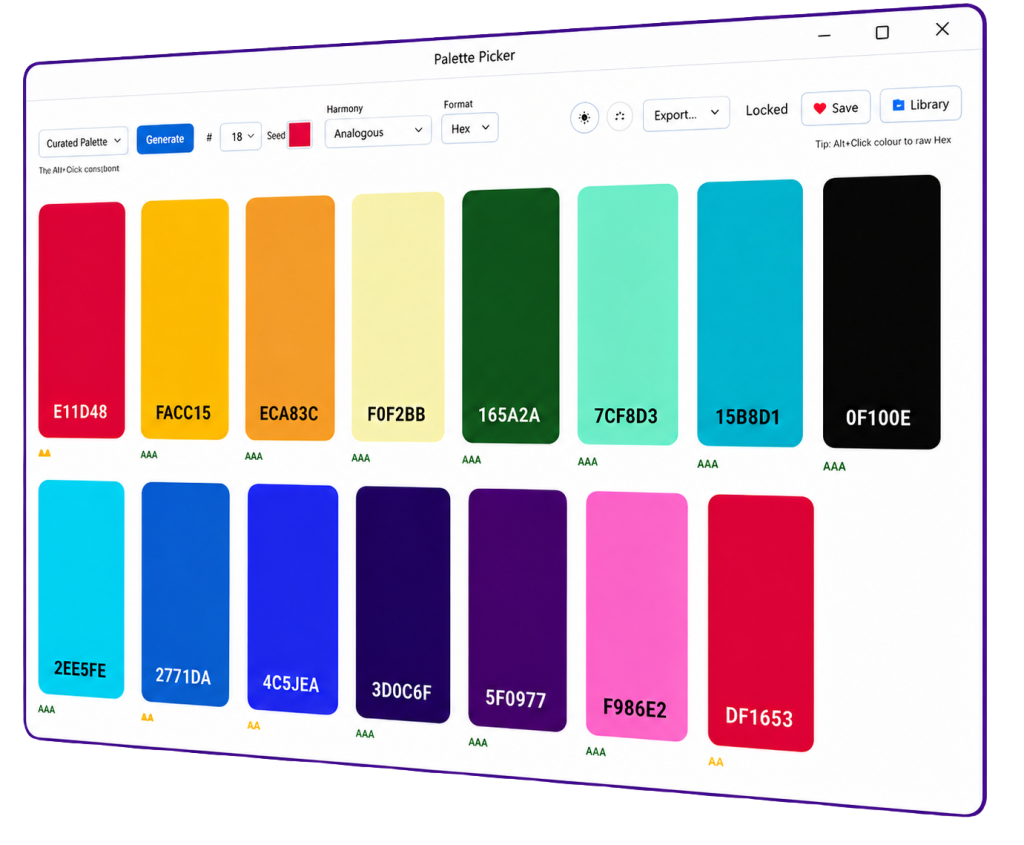
Generate Instantly
Create polished colour palettes instantly, then adjust the balance until they are just right for your project.
Check Accessibility
See WCAG contrast ratings at a glance, so your colours are easier to judge before they reach a live interface.
5 Colour Export Types
Export your palette as CSS variables, Tailwind classes, JSON, PNG or a polished UI Snapshot image file.
Handy 1-Click Copy
It’s easy to copy your colour values in one-click, with the choice of RGB, HSL or Hex values.
Drag & Drop
Re-Ordering
Simple drag & drop lets you rearrange your palette, with the ability to lock colours across generations.
Your Palette Library
Save palettes to the app’s library for re-use. All storage is local only. Private, secure, and all yours.
Made For Real Design Work
Palette Picker is built around the little decisions that happen between “that colour looks nice” and “this colour system is ready to use”. It helps you generate, compare, reorder, copy, save and export palettes without turning colour selection into a messy side quest.
- Generate palettes with up to 15 colours.
- Explore 8 harmony modes including analogous, complementary and monochromatic.
- Undo and redo for those ‘oops’ moments.
- For the Notion version, generate colours directly in your Notion workspace.
- Desktop version includes both an installer version and portable version.
- Use dark mode for a calmer workspace.
Choose The Version That Fits Your Workflow
Use the desktop app for interactive palette generation and exports, or grab the Notion version for palette organisation inside your workspace.
Windows 10/11
Palette Picker For Desktop
£4.95
The full interactive palette tool for generating, refining, saving and exporting colour palettes from your desktop.
Works Out Of the Box
Palette Picker Template For Notion
£4.95
Notion version for storing, organising and reusing colour palette ideas inside your existing Notion setup.
Available Elsewhere Too!
Choose your preferred marketplace. Each option gives you the same great tool.

Codester

Gumroad

Itch.io
